Have you ever deleted some love photos on your iPhone? Do you know we can recover them by extracting iTunes backup file with some iTunes backup extractor? Everytime we connect iPhone to computer, the iTunes would back up iPhone data automatically as long as you set up, but the iTunes backup file is unreadable and inaccessible. But, we can use Amacsoft iTunes Backup Extractor to recover lost photos.
It's very easy to use this data extractor, but before this don't sync your iPhone to the computer with iTunes, because the backup file will be updated if you connect your iPhone to computer and sync it with iTunes. It will just backup the exiting files on your iPhone.
Now let me guide you How to Restore iPhone Photos from iTunes:
Step 1: Select iPhone Backup File
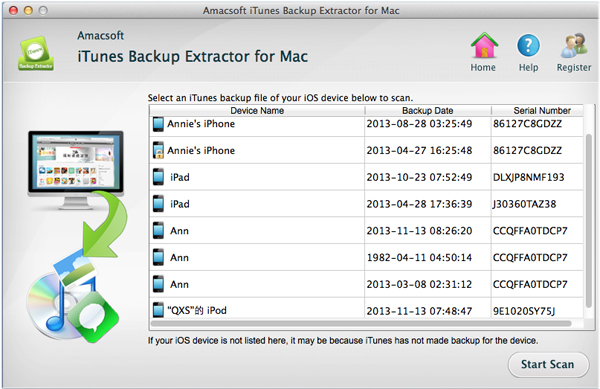
Strat and launch Amacsoft iTunes Backup Extractor on Mac, then it will retrieve the ios devices that have backed on this computer before. We just need to select our iPhone and click "Strar Scan" to let the iTunes backup extractor to scan our iPhone backup file.
Step 2: Preview and Select Photos
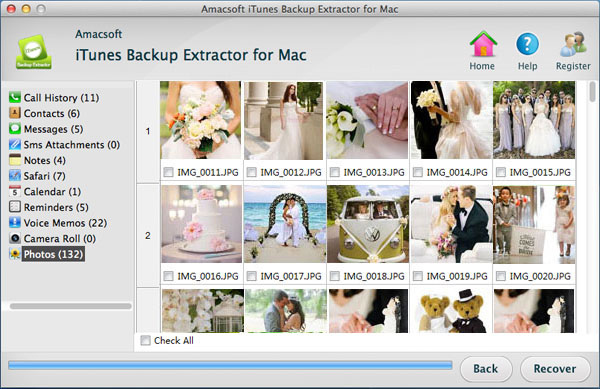
Now we can see all of our backed iPhone contents listed on the left, click "Photos" and "Camerea Roll" icon, then we can preview all the photos that have backed last time. And you just need to select those you want to recover.
Step 3: Start Recover
At last, click "Recover" button on the lower right. There will be a dialog ask you to choose save address, you just need to choose where you want.
OK! That's all! Try it yourself!

No comments:
Post a Comment